“So happy with the journal; Notion is a headache.”
Every trade, note and review stays yours, reviewed the way you trade. A free plugin for Obsidian.
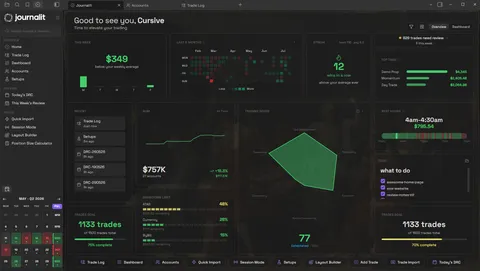







Most journals let you export your trades. Your reviews, setups and tags stay behind. With Journalit, everything is already yours.
Learn moreAnimation: exporting from a web journal gives you only your trades, while your reviews, setups, tags and screenshots are left behind. Journalit already has everything on your computer.
Write your own review questions for wins and losses. Each answer can lead to the next question, so you get to the real reason.
Learn moreAnimation: a trade review for a losing trade. Answering No opens a follow-up question, FOMO is picked, a plan for next time is typed, and the trade is marked reviewed.
Open it and see what needs attention today.
See which rule is holding up your payout, before you request it.
Build your review once. Every day follows it.
Trade your plan, not just review it. Your rules run while you trade.
Turn your setups into a playbook you can test.
Find the days, times and habits that make or cost you money.
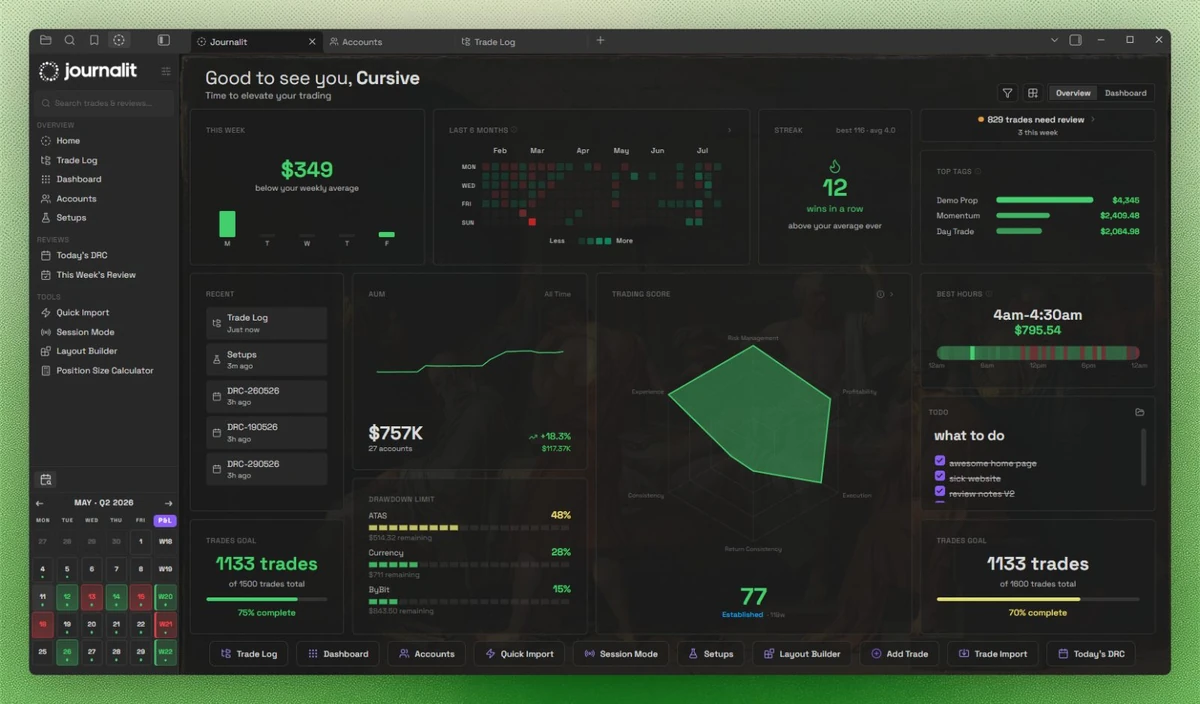
Most trading journals make your trades feel like rented data. You pay every month to access your own history, and one pricing change can turn your workflow upside down.
Journalit works differently. Your journal stays on your device & is built around the way you review trades instead of someone else's rigid template.
If a platform changes, locks exports, or disappears, your trading history should not disappear with it. Your journal should outlive the app you used to write it.
| Capability | Journalit | Web journals | Spreadsheets |
|---|---|---|---|
| You own all your data foreverTrades, review notes, setups and tags, on your computer | Everything | Trades only | Yes |
| Works without internetJournal on a flight or when the Wi-Fi drops | Yes | Needs internet | Yes |
| Stats and charts built inWin rate, P&L by setup, best times to trade | Built in | Built in | Make your own |
| Trades come in automaticallyNo typing fills in by hand | Pro | Usually | Typed by hand |
| Set it up your wayYour own fields, checklists and review routine | Fully | Limited | If you build it |
| Still yours if you stop payingYour trades and reviews do not disappear | Free plan | Access ends | Yes |
| Journalit | Web journals | Spreadsheets |
|---|---|---|
| You own all your data foreverTrades, review notes, setups and tags, on your computer | ||
| Everything | Trades only | Yes |
| Works without internetJournal on a flight or when the Wi-Fi drops | ||
| Yes | Needs internet | Yes |
| Stats and charts built inWin rate, P&L by setup, best times to trade | ||
| Built in | Built in | Make your own |
| Trades come in automaticallyNo typing fills in by hand | ||
| Pro | Usually | Typed by hand |
| Set it up your wayYour own fields, checklists and review routine | ||
| Fully | Limited | If you build it |
| Still yours if you stop payingYour trades and reviews do not disappear | ||
| Free plan | Access ends | Yes |
Comparing a specific tool? See Journalit vs TradeZella, Edgewonk and TradesViz
“So happy with the journal; Notion is a headache.”
“This is the trading journal I've been searching for. MetaTrader connections are rock-solid across all my accounts, completely seamless.”

“Probably one of the best-looking and straightforward trading journals I've ever used.”

“Kudos for creating such a beautiful journal that helps you track each minute detail of your trades.”

“Thanks again, especially for such quick support. I'm going to recommend it to everyone, including my trading community.”

“Literally the most organized and low friction trading journal I have ever used. I'm enjoying journaling more than ever!”

“Such a good implementation and way better for me than something like TradeZella.”

“Your data stays in a portable format you own. Complete customization, no vendor lock-in.”

“The experience has been wonderful since I was doing basic journaling in Excel prior. Love it.”

“Local data, privacy, and markdown flexibility make it easy to organize and review my trades.”

“In Journalit, I can just sync and it's easy!”

“One stop shop for all my daily trading needs. Organized very well and has great support via Discord.”

“This is amazing and more than I would have hoped to find.”

“I have been using Journalit! for a while and I really enjoy it.”

“I tried to build something similar, and I almost succeeded - but it wasn’t anywhere near this level!”

“Since I started using Journalit, logging my trades stopped being a tedious task. It's such a relief not having to fill out spreadsheets or waste time copying data.”

“I've been looking for an alternative to the overpriced mainstream journals, and this looks perfect.”

“Local data storage lets me analyze my trades offline with all the analytics, while keeping my data my own.”

“I'm already liking how flexible your journal is. Thanks for your work!”

“Your plugin turned out to be exactly what I needed and has made recording my trades so much easier.”

“Bro this journal is goated, everything is perfectly detailed, I love it!”
Testimonials appearing on this website may not be representative of other clients or customers and are not a guarantee of future performance or success.
Manual journaling, flexible reviews, and analytics on your device.
Billed annually at $180/year
Skip the spreadsheet cleanup. Sync and import trades into the journal you already review.
Want to see what you can use for $0 ongoing? Explore Journalit's free trading journal.
The free plan includes unlimited trades, accounts, custom fields, and analytics. Manual journalling works offline. Pro adds Trade Import, automatic Trade Sync for supported brokers, the Economic Calendar, and prop-firm profiles that prefill challenge rules.
Journalit saves your journal as markdown files in a folder on your own computer or phone. Network-backed features send only the credentials, provider identifiers, broker reports, or trade data required for the workflow you choose. Your manual notes and analysis stay on your device.
Yes. You can log trades, write notes, view your analytics, and customise your journal without an internet connection. Trade Sync, sign-in and other network-backed features need a connection.
Pro includes Trade Import for supported broker exports and automatic Trade Sync for supported brokers. You can also add trades manually from any platform.
No. Journalit runs inside Obsidian, a free notes app for desktop and mobile, and you do not need to have used it before. Journalit is built for traders, not developers: everything is point-and-click, with no coding or command line.
Yes. Add unlimited trading accounts, view each account separately, or combine selected accounts in portfolio analytics. All of them live in the same journal.
Journalit keeps your trades, notes and reviews together as files on your device, with analytics, review workflows and optional broker automation built in. The free plan does not limit how many trades you log.
Your journal notes are stored as markdown files that can be read with a text editor, copied to another device, backed up, or processed with scripts. Some plugin-managed metadata may still require interpretation by compatible tools.
Still have questions? View full documentation or join our Discord
Futures and forex trading contains substantial risk and is not for every investor. An investor could potentially lose all or more than the initial investment. Risk capital is money that can be lost without jeopardizing one’s financial security or lifestyle. Only risk capital should be used for trading and only those with sufficient risk capital should consider trading. Past performance is not necessarily indicative of future results.
Hypothetical performance results have many inherent limitations, some of which are described below. No representation is being made that any account will or is likely to achieve profits or losses similar to those shown; in fact, there are frequently sharp differences between hypothetical performance results and the actual results subsequently achieved by any particular trading program. One of the limitations of hypothetical performance results is that they are generally prepared with the benefit of hindsight. In addition, hypothetical trading does not involve financial risk, and no hypothetical trading record can completely account for the impact of financial risk of actual trading. for example, the ability to withstand losses or to adhere to a particular trading program despite trading losses are material points that can also adversely affect actual trading results. There are numerous other factors related to the markets in general or to the implementation of any specific trading program that cannot be fully accounted for in the preparation of hypothetical performance results and all which can adversely affect trading results.