
Layout Builder
The Layout Builder is where Journalit's review system becomes yours. It lets you turn a vague intention to "review better" into a repeatable structure with the right prompts, evidence, and widgets in the right order.
What Layout Builder actually does
This is not a cosmetic page editor. It defines the structure of your trade notes and your daily, weekly, monthly, quarterly, and yearly review workflows.
Why It Matters
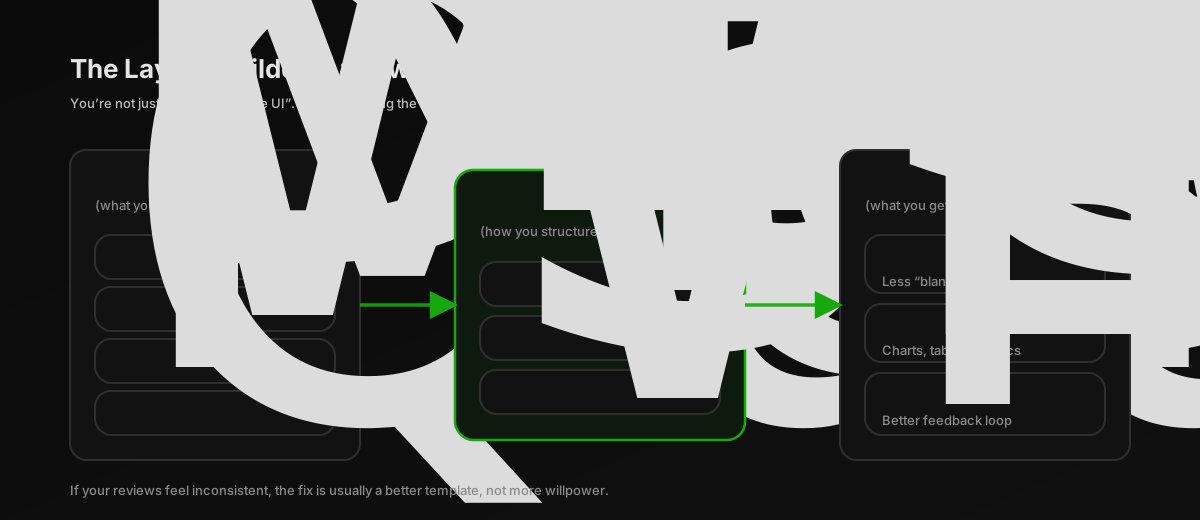
Most traders do not lack insight. They lack consistency. The Layout Builder solves the blank-page problem by making your review process repeatable.
Standardise review quality
The same evidence, questions, and grading logic appear every time instead of depending on memory or mood.
Match your trading style
Build differently for a scalper, swing trader, single-account trader, or portfolio-style workflow.
Reduce review friction
Fewer decisions during review means you are more likely to actually finish it.
Make improvements stick
When you discover a better prompt or metric, you add it to the layout once and reuse it forever.
Mindset shift
If your review quality is inconsistent, the problem is usually the layout, not your discipline.
What You Build
Each trade note and review horizon in Journalit is powered by a layout. That layout is built from a few core building blocks.
Sections
Group related parts of the workflow such as Preparation, Trades, Review, Psychology, or Lessons.
Widgets
Use reusable blocks like metrics, trade tables, prompts, checklists, charts, and grading widgets.
Configuration
Control filters, display options, scoring scales, and exactly what data each widget shows.
Trade note sections
Control trade-note section order, visibility, metric cards, metadata rows, custom fields, reviewed footer, and missed-trade reason placement.
Once you save a layout, Journalit uses it as the structure for future review notes of that type. You can change layouts later as your process evolves.
Review Horizons You Can Design
The Layout Builder is not just for Daily Report Cards.
Daily Report Cards
Create a structured end-of-day workflow for preparation follow-through, trade evidence, and reflection.
Trade Notes
Design regular, missed, and backtest trade notes, including asset-specific layouts for workflows that need different evidence by instrument type.
Weekly Reviews
Zoom out far enough to see recurring behaviours, mistakes, and process consistency.
Monthly Reviews
Review strategy performance, market conditions, and progress at a more strategic level.
Quarterly and Yearly Reviews
Design larger reflection frameworks for evaluating the direction of your trading over meaningful time horizons.
How To Open Layout Builder
Open the command palette
Press Ctrl+P inside Obsidian.
Search for the builder
Type Open Layout Builder and run the command.
Or open it from Home View
You can also access it from the quick links in Home View.
Related page
If you have not set up the review system yet, start with the Review System documentation first.
Build A Layout Step By Step

Choose the review type
Start by selecting the note or review type you are designing: Trade Note, Daily, Weekly, Monthly, Quarterly, or Yearly.
Define the workflow sections
Build the broad structure first. For a daily layout, that might be Preparation → Trades → Review → Tomorrow.
Add widgets from the library
Search the widget picker by name, description, category, or widget type, then drag in the blocks you actually need: metrics, checklists, session mistakes, prompts, grading widgets, trade tables, and charts. Results stay grouped by category, and the picker supports keyboard navigation when you want to build without reaching for the mouse.
The Session Log widget shows an empty Outside sessions group by default, so a
post-session review has somewhere to add entries. Enable
Hide outside-session log when empty in the widget's settings to
hide it until it has content.
Arrange the layout
Order and size the widgets to match how you really review. Some traders want a visual dashboard first. Others want context first and judgement second.
Configure each widget
This is where the layout becomes specific to your process. Set filters, display rules, and grading options so the widget shows the right information. Review sections can also be enabled for missed trades or backtest trades when those note types need the same reflection structure.
Validate with the live preview
Use the preview to check whether the note reads clearly and supports the workflow you expect.
Save and iterate
Once saved, future review notes use that structure. You can refine the layout later as your process improves.
Configure Trade Review prompts
When editing a Trade Review widget in a DRC layout, use the Questions section to shape the prompts traders answer for each trade. Select Win, Loss, Breakeven, or Open, then add, remove, reorder, or edit that outcome's questions and answer placeholders.
Use different prompts when the review job is different. A losing trade might need a question about rule adherence, while a winning trade may be more useful for checking whether the execution can be repeated. Reset restores the default questions for the selected outcome.
Each question can use a text answer or configured choices. Use Show When on a follow-up question to reveal it only when a specific choice is selected on a parent question. Branches can contain further conditional questions, and the editor prevents circular relationships and duplicate choice labels.

When a layout has unsaved edits, Journalit keeps Save and Discard available in a floating bottom bar. The bar remains visible while you scroll and in preview mode, without covering the last widgets or controls.
Widget Library
The widget library is broad on purpose. The goal is to combine hard evidence and structured reflection in the same review note.
Performance metrics
Track figures like P&L, win rate, profit factor, and expectancy inside the review itself.
Charts
Add cumulative P&L, drawdown, and daily performance views to make patterns visible quickly.
Trade tables
Show recent trades or filtered trade lists directly inside the review workflow.
Checklists
Use pre-trade or post-trade checklists to enforce process consistency.
Session mistakes
Track repeated execution problems once at the session level instead of cluttering every trade note.
Previous trading day context
In DRC templates, show selected sections from the prior DRC so yesterday's forecast, notes, or screenshots stay visible during today's review.
Text and prompts
Add reflection blocks, review questions, goals, guided prompts, and markdown zones with reusable preset text.
Charts & Media
Add a media carousel for screenshots, local video, GIFs, and supported media references alongside review notes.
Grading widgets
Score execution and psychology with structured grading rather than vague impressions.
Full Widget Catalogue
The table below is the fastest way to check which widgets are available for each review horizon.
Important picker behaviour
The review Header is fixed and is not added from the widget picker. Markdown Zone and Markdown Header are layout blocks you can add when you want custom written sections inside the layout.
| Widget | Category | DRC | Weekly | Monthly | Quarterly | Yearly |
|---|---|---|---|---|---|---|
| Goals | Content | ✓ | ✓ | ✓ | ✓ | ✓ |
| Review | Content | ✓ | ✓ | ✓ | ✓ | ✓ |
| Trade Review | Content | ✓ | — | — | — | — |
| Checklist | Content | ✓ | ✓ | — | — | — |
| Session Mistakes | Content | ✓ | — | — | — | — |
| Previous Trading Day Context | Content | ✓ | — | — | — | — |
| Key Levels | Content | ✓ | ✓ | ✓ | — | — |
| Key Events | Content | ✓ | ✓ | — | — | — |
| Missed Trades | Content | ✓ | ✓ | — | — | — |
| Daily Reviews by Weekday | Content | — | ✓ | — | — | — |
| Review Context Fields | Content | ✓ | ✓ | ✓ | ✓ | ✓ |
| Charts & Media | Content | ✓ | ✓ | ✓ | ✓ | ✓ |
| Mark Reviewed | Content | ✓ | ✓ | ✓ | ✓ | ✓ |
| PnL Chart | Charts | ✓ | ✓ | ✓ | ✓ | ✓ |
| Drawdown Chart | Charts | ✓ | ✓ | ✓ | ✓ | ✓ |
| Directional PnL | Charts | ✓ | ✓ | ✓ | ✓ | ✓ |
| Trades Chart | Charts | ✓ | ✓ | ✓ | ✓ | ✓ |
| Daily Trades Chart | Charts | — | ✓ | ✓ | ✓ | ✓ |
| Weekly Trades Chart | Charts | — | — | ✓ | ✓ | ✓ |
| Monthly Trades Chart | Charts | — | — | — | ✓ | ✓ |
| Quarterly Trades Chart | Charts | — | — | — | — | ✓ |
| Stats | Statistics | ✓ | ✓ | ✓ | ✓ | ✓ |
| Account Breakdown | Statistics | ✓ | ✓ | ✓ | ✓ | ✓ |
| Setup Performance | Statistics | ✓ | ✓ | ✓ | ✓ | ✓ |
| Tag Performance | Statistics | ✓ | ✓ | ✓ | ✓ | ✓ |
| Best/Worst Trades | Statistics | ✓ | ✓ | ✓ | ✓ | ✓ |
| Best/Worst Days | Statistics | ✓ | ✓ | ✓ | ✓ | ✓ |
| Best/Worst Weeks | Statistics | — | ✓ | ✓ | ✓ | ✓ |
| Best/Worst Months | Statistics | — | — | — | ✓ | ✓ |
| Best/Worst Quarters | Statistics | — | — | — | — | ✓ |
| Technical Game | Statistics | — | — | ✓ | ✓ | ✓ |
| Mental Game | Statistics | — | — | ✓ | ✓ | ✓ |
| Demon Tracker | Statistics | — | ✓ | ✓ | ✓ | ✓ |
| Trades | Tables | ✓ | ✓ | ✓ | ✓ | ✓ |
| Backtest Trades | Tables | ✓ | ✓ | ✓ | ✓ | ✓ |
| Daily Breakdown | Tables | ✓ | ✓ | ✓ | ✓ | ✓ |
| Weekly Breakdown | Tables | — | ✓ | ✓ | ✓ | ✓ |
| Monthly Breakdown | Tables | — | — | — | ✓ | ✓ |
| Quarterly Breakdown | Tables | — | — | — | — | ✓ |
| Markdown Zone | Layout | ✓ | ✓ | ✓ | ✓ | ✓ |
| Markdown Header | Layout | ✓ | ✓ | ✓ | ✓ | ✓ |
| Session Log | Content | ✓ | — | — | — | — |
Sharing And Portability
Layouts are meant to evolve, and good layouts are worth keeping.
Share with other traders
Export a workflow that works and give other traders a strong starting structure.
Move between vaults
Reuse your review framework without rebuilding it from scratch.
Back up before major edits
Save a stable version before experimenting with larger workflow changes.
Best Practices
Start smaller than you think
A simple daily layout you consistently complete is more valuable than a large system you avoid using.
Put evidence before judgement
Show charts, trades, and context before reflection prompts and grading. That reduces hindsight distortion.
Make every widget answer a real question
If a widget does not help you make a recurring review decision, it is probably just decoration.
Use longer reviews to zoom out
Do not cram weekly or monthly analysis into the daily layout. Different horizons exist for a reason.
Iterate after use, not before use
The best layout changes come from reviewing real sessions and noticing what is missing or unnecessary.
Practical advice
Start with a good-enough structure, use it for a while, then improve the weak parts. Layout quality compounds over time.
Related pages
For the broader framework, go back to the Review System. For review defaults, goals, and checklist settings, see the Settings documentation.