
Your journal is files, not rows
Every trade note and review is a plain text file on your computer, with the trade data stored alongside it. Readable in any text editor, forever.
Journalit stores your trading journal as plain files on your device, not in someone else\u2019s database. Journal, analyse, and review offline; keep your trade history even if you leave.
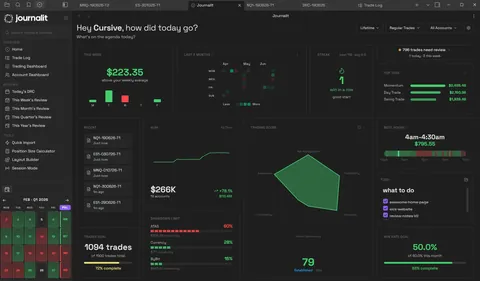
Most trading journals keep your history in their database. Journalit keeps it in yours: a folder of markdown files you can read, move, back up, and keep.
Every trade note and review is a plain text file on your computer, with the trade data stored alongside it. Readable in any text editor, forever.
Manual entry, trade notes, dashboards, analytics, templates, and reviews all work offline because nothing about journalling requires a server.
Journalling happens on your device. Network-backed features are optional, and what they transmit is documented, not buried in a policy.
If you stop paying, or stop using Journalit entirely, your trade history stays where it always was: in your vault, organised by year, month, and week.
Journalit runs inside Obsidian, the free note-taking app, so trades can be searched, tagged, and linked alongside the rest of your notes.
Pro adds Trade Import for broker exports, Trade Sync for supported brokers, the Economic Calendar, and prop-firm profiles. Imported and synchronised trades still land as local files in your vault.
Local-first does not mean disconnected. Here is the exact split, the same one documented on our data and privacy page.
The full breakdown of what is stored locally and what is transmitted lives on the data, privacy and offline page.
Journalit is free for journalling, analytics, reviews, and templates. Pro unlocks Trade Import, automatic trade sync, the Economic Calendar, and prop-firm profiles.
Manual journaling, flexible reviews, and analytics on your device.
Billed annually at $180/year
Skip the spreadsheet cleanup. Sync and import trades into the journal you already review.
Futures and forex trading contains substantial risk and is not for every investor. An investor could potentially lose all or more than the initial investment. Risk capital is money that can be lost without jeopardizing one’s financial security or lifestyle. Only risk capital should be used for trading and only those with sufficient risk capital should consider trading. Past performance is not necessarily indicative of future results.
Hypothetical performance results have many inherent limitations, some of which are described below. No representation is being made that any account will or is likely to achieve profits or losses similar to those shown; in fact, there are frequently sharp differences between hypothetical performance results and the actual results subsequently achieved by any particular trading program. One of the limitations of hypothetical performance results is that they are generally prepared with the benefit of hindsight. In addition, hypothetical trading does not involve financial risk, and no hypothetical trading record can completely account for the impact of financial risk of actual trading. for example, the ability to withstand losses or to adhere to a particular trading program despite trading losses are material points that can also adversely affect actual trading results. There are numerous other factors related to the markets in general or to the implementation of any specific trading program that cannot be fully accounted for in the preparation of hypothetical performance results and all which can adversely affect trading results.