
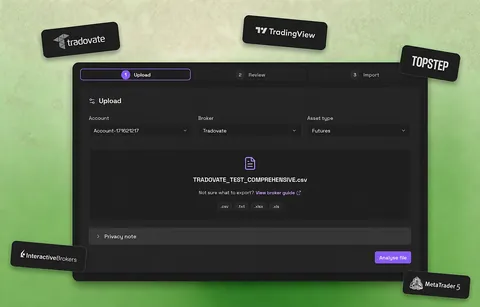
How TopstepX connects
CSV import from the Orders or Trades tab, with a dedicated TopstepX adapter.
File import
TopstepX CSV import
Export the Orders or Trades tab export (CSV) and import the original file without editing it in a spreadsheet first.
Read the export guideExactly what is supported
The same facts we maintain for support, published instead of hidden. If something here is wrong, it is a bug.
What gets captured
- Futures trades from the Orders or Trades tab export for the account and date range you select
- The original export columns; Journalit expects the raw file, not a spreadsheet-edited copy
Account types
- Practice and funded TopstepX accounts you can export from
Honest limitations
- File import only; there is no direct TopstepX API sync
- The TopstepX adapter depends on your plugin version; Manual Mapping is the fallback
- TopstepX may change export columns over time; a fresh export is the first troubleshooting step
Your trade history stays on your computer
TopstepX activity becomes trade notes stored as plain files on your device, inside Obsidian, the free note-taking app Journalit runs on. Your thesis, tags, screenshots, reviews, and custom fields are never replaced by broker updates.
Trading a Topstep Combine or Express Funded account?
Importing your TopstepX trades is the first half. Set the account up as a prop challenge and Journalit tracks drawdown, consistency and payout progress against the trades you import. The current Topstep rules by account size, with Topstep's own sources, are on the Topstep rules page.
Before you import TopstepX trades
Free vs Pro
Journalit is free for journalling, analytics, reviews, and templates. Pro unlocks Trade Import, automatic trade sync, the Economic Calendar, and prop-firm profiles.
Free
Manual journaling, flexible reviews, and analytics on your device.
INCLUDES
- Unlimited trades & accounts
- Journal stored on your device
- Custom fields & properties
- Rich markdown notes
- Analytics dashboard
Pro
Billed annually at $180/year
Skip the spreadsheet cleanup. Sync and import trades into the journal you already review.
EVERYTHING IN FREE, PLUS
- Automatic Trade Sync for supported brokers
- Trade Import for broker exports and statements
- Economic Calendar with weekly event imports
- Prop-firm profiles that prefill challenge rules
- Multi-account sync support
- Priority support