Tradervue alternative that keeps your journal in files you own
Journalit keeps your journal as files on your computer, free to start. Tradervue is a hosted journal with a capped free plan, stronger for mentoring and sharing trades.
By the Journalit team · Facts checked 15 Oct 2026 · How we compared
Which should you choose?
Pick Journalit if
- You want your journal as files you own
- You import 30+ trades a month (Pro is $19/mo or $180/yr)
- You journal offline
- You track prop-firm challenges
Pick Tradervue if
- You want a hosted, browser-based journal
- You work with a mentor or students
- You share trades with a community
- You import under 30 trades a month, free
Stay on Tradervue if
- Mentor review in Tradervue is key for you
- You stay under 30 imports a month
- You have years of tags you’d rebuild by hand
Tradervue facts from its pricing page and import quota, checked 15 Oct 2026.
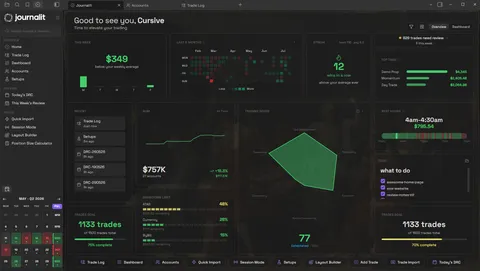
Journalit Home View brings reviews, goals, account metrics, and performance context into one journal.
Tradervue pricing in 2026
Free up to 30 imported trades a month. No yearly plans.
For unlimited imports, Tradervue costs 2× to 3.3× as much as Journalit Pro's $180/yr billed-yearly price.
Journalit Pro: $180/yr billed yearly. Tradervue: $359.40–$599.40/yr. You save $179.40–$419.40 a year (Journalit billed yearly).
| Plan | Yearly cost and billing | vs Journalit $180/yr billed yearly |
|---|---|---|
| Journalit ProEvery feature, nothing locked | $180/yr billed yearly · $228/yr if paid monthly ($19/mo) | You pay this |
| Tradervue SilverNo yearly plan | $359.40/yr · No yearly plan: 12 × $29.95/mo | 2× Journalit's yearly priceYou save $179.40/yr vs Tradervue Silver (Journalit billed yearly). |
| Tradervue GoldNo yearly plan | $599.40/yr · No yearly plan: 12 × $49.95/mo | 3.3× Journalit's yearly priceYou save $419.40/yr vs Tradervue Gold (Journalit billed yearly). |
Every plan, paid for a year, billed yearly where offered. Relative labels compare with Journalit Pro at $180/yr billed yearly; Journalit is $228/yr if paid monthly ($19/mo). USD before tax. Checked 15 Oct 2026: Tradervue.
Journalit vs Tradervue
* With Trade Sync (Pro), synced trades also pass through Journalit’s servers. Tradervue facts checked 15 Oct 2026; the arrow beside each one opens Tradervue’s own page. Comparing more tools? See every trading journal side by side.
Same task in both tools
Import a broker CSV, then review a losing week.
In Journalit
- 1
Export from your broker
Follow the broker export guide
- 2
Open Trade Import
Pick the platform and account
- 3
Check the preview
Every trade, before anything is saved
- 4
Open the weekly review
All five days in one note
- 5
Answer the losing-trade questions
Your own questions, set in Layout Builder
Preview is free; importing needs Pro. From the Trade Import guide and review docs.
In Tradervue
- 1
Export from your broker
Trade history as CSV or Excel
- 2
Import Trades
Pick the broker, add an account tag
- 3
Reports → Weekly
Weeks run Sunday to Saturday
- 4
Find the losing week
Switch gross, net, R or ticks
From Tradervue’s help centre: import methods · generic CSV · weekly report
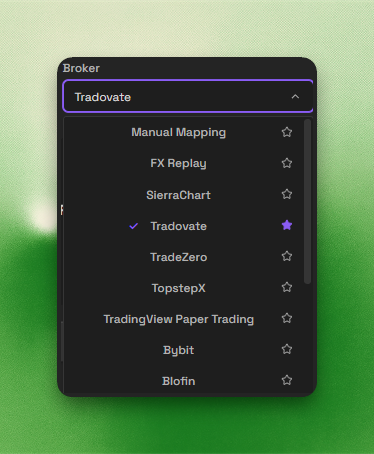
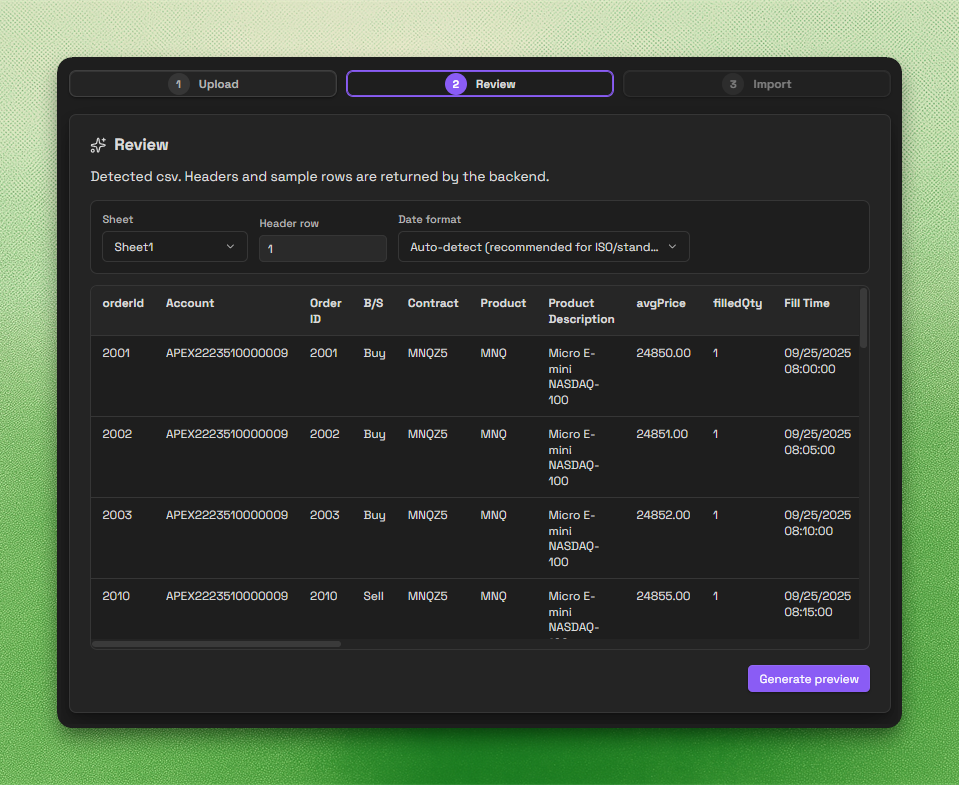

Switching from Tradervue
Four steps. Start small and check before you cancel.
- Step 1
Export from Tradervue
- Step 2
Import into Journalit
- Best: your broker’s own export
- Or Tradervue’s CSV as Own spreadsheet (guide)
- Preview is free; importing needs Pro
- Step 3
Rebuild
- Tags → setups
- Notes → trade notes
- Weekly reports → review templates
- No equivalent for mentor access
- Step 4
Test before you cancel
- Import one week first
- Match Tradervue’s weekly report
- Check fees, time zone and fills
- Re-import once: duplicates get flagged
How we compared
- Sources
- Tradervue’s pricing page and help centre
- Checked
- 15 Oct 2026
- Method
- No paid Tradervue account. Its steps follow Tradervue’s help articles.
- Written by
- The Journalit team, so we are not neutral. Spot an error? contact@journalit.co
Tradervue alternative FAQ
Try Journalit free
Install Journalit and start journalling in Obsidian. Upgrade for Trade Import plus Trade Sync for supported brokers.